Counter
Dine in or takeaway, payments, change, and receipts.
 Nexus POS
For restaurants and cafes
Nexus POS connects the counter, the kitchen, and the waiters in one simple system. Big buttons and plain words, so new staff learn it in one shift.
How it works
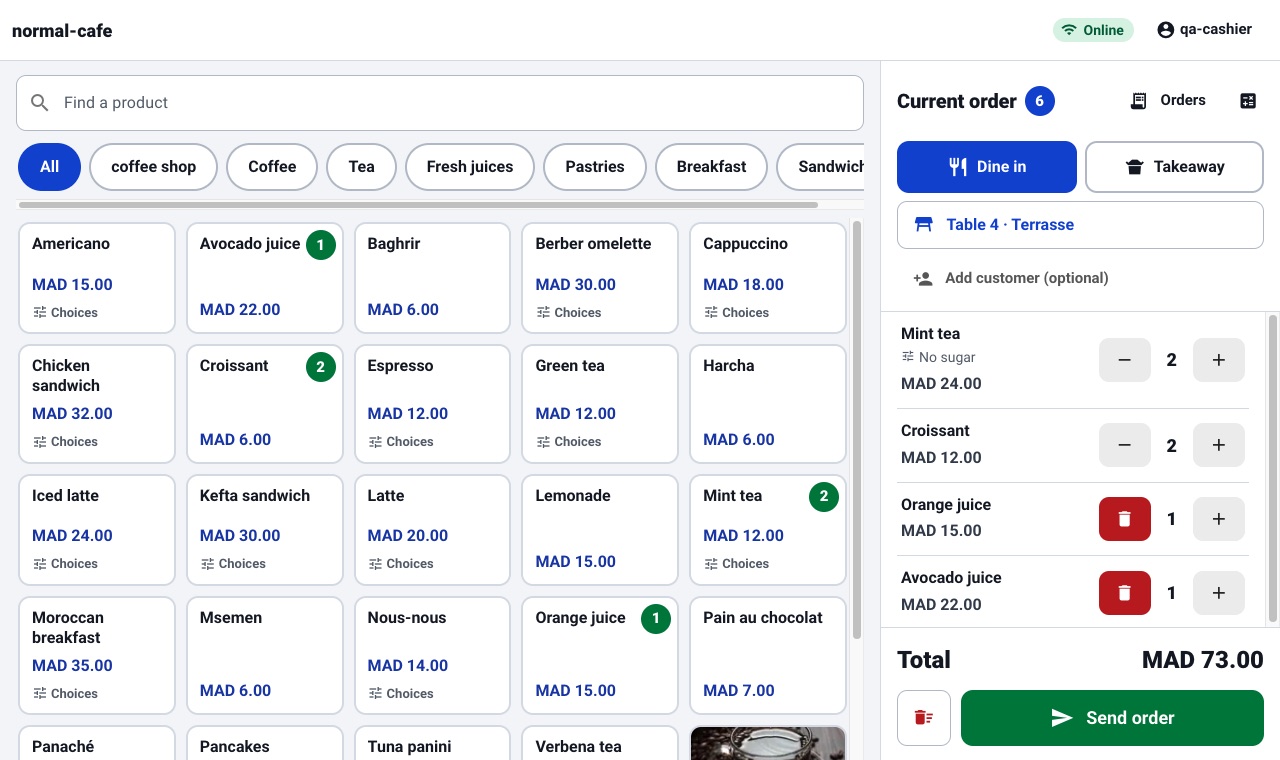
At the counter or on the waiter’s phone. Tap the products, add extras like “no sugar”, pick the table, and send.
The ticket appears on the kitchen screen with a sound. Cooks tap “Start cooking”, then “Ready”. Late tickets turn red.
The waiter sees “Food ready” on the table. Take the payment, the app shows the change to give back, and the table is free again.
Kitchen screen
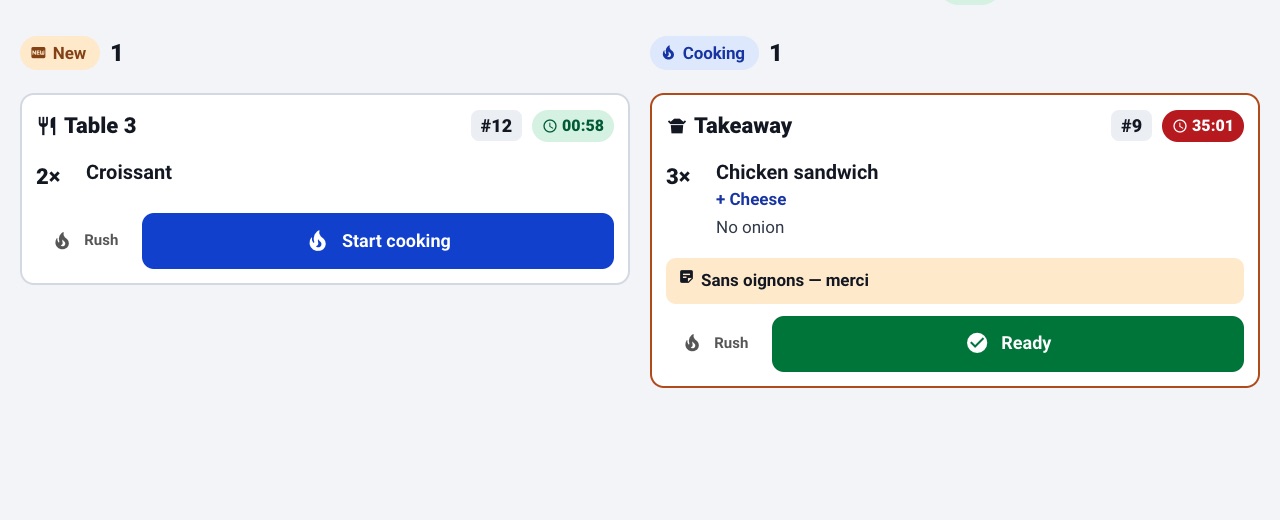
New tickets on the left, cooking on the right. Each ticket shows the table, the time it has waited, the extras, and the customer’s note in large text that can be read from across the room.
Waiter phone
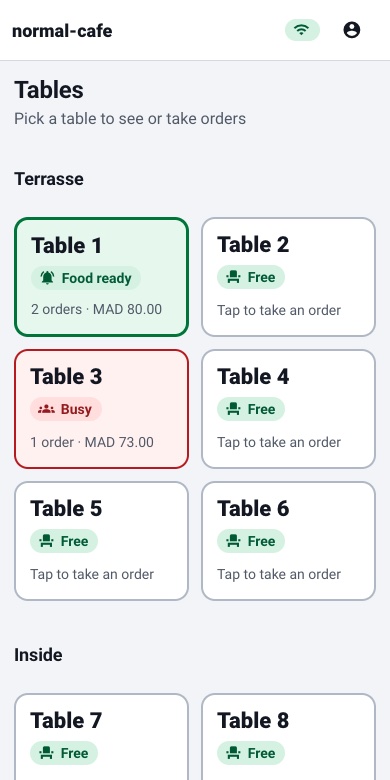
Waiters use their own phone. Free tables are white, busy tables are red, and tables with food waiting turn green, always with a word next to the colour.
What you get
The plan sets the size of the shop. It never takes a part away.
Dine in or takeaway, payments, change, and receipts.
Live tickets by station, with timers and a ready button.
Tables, orders, and payments on any phone.
Menu, prices, staff, printers, and the day’s sales.
Ingredients, suppliers, purchase orders, and low stock alerts.
Made for real shifts
Plans
Prices are in US dollars per month. A request is a message to us. It does not start billing and it does not open the shop.
$29 / month
A cafe or a single dining room, with a small team.
Most chosen
$79 / month
A restaurant with more than one room and a longer service.
$199 / month
A large room and a large team, with room to grow.
Staff are the people on the counter, in the kitchen, and on the floor. Prices can change before a shop is opened. Read the disclaimer.
FAQ
Restaurants and cafes that take orders at the counter or the table and send them to a kitchen.
That is who we design for. Buttons are large and say what they do, colours always come with a word, and there is a “Bigger text” switch on every screen. Most staff are comfortable after one shift.
The counter keeps taking orders and shows that it is offline. Saved orders are sent on their own when the connection is back, and the screen tells you if any need a look.
A computer or tablet for the counter, a screen for the kitchen, and the waiters’ own phones. A receipt printer and a kitchen printer are optional.
Send a request with the shop’s name, a plan, and an email you read. We reply by email and set the shop up with you. A request does not open the shop by itself.
No. Nothing is billed when you send the form. We agree the start with you before a plan is charged.
Yes. A shop can work in English, Arabic, French, Turkish, Spanish, Persian, Hebrew, or Urdu. Arabic, Persian, Hebrew, and Urdu use a right-to-left layout.
Yes. Tell us and we move the shop to the other plan. The limits follow the plan you are on.
The shop’s. Orders, the kitchen, and the day’s report use the time you set, including summer time when you turn that on.
More answers on the FAQ page.
Tell us about your shop. We reply by email, and nothing is charged until we agree the start with you.